Bloom
End-to-end e-commerce store for a premium floristry brand — catalog, cart, checkout and custom CMS.
Overview
Bloom is a premium e-commerce experience for a boutique floristry brand. The brief was deceptively simple: make it feel as beautiful as the flowers. What that meant in practice was obsessing over every interaction — hover states, cart animations, loading skeletons — until the digital experience matched the premium physical product.
This was a full end-to-end engagement: brand alignment, UX design, development, and CMS setup so the client could own their content completely after handoff.
The Problem
The client was running their entire online business through an Instagram DM thread and a basic Squarespace site that hadn't been updated in three years. Orders were being taken manually. There was no inventory system. Payment collection was inconsistent.
The business had outgrown its tools but the owner was hesitant to invest in a custom solution — previous agency quotes had come back at $25k+.
The goal: build a production-grade e-commerce platform that felt expensive but was sustainable for a small team to run independently.
Process
Brand & Design Direction
The existing brand had strong bones — a clean logo, good photography, a clear color palette. I leaned into that rather than reinventing it.
Design principles for Bloom:
- Generous whitespace — let the product photography breathe
- Slow, intentional animations — nothing snappy or aggressive
- Typography-forward — a serif display font (Playfair Display) paired with a clean sans-serif for body copy
- Muted, warm palette — creams, sage greens, dusty pinks
All layouts were designed mobile-first. The client's analytics showed 78% of traffic was mobile, so the cart and checkout flows were designed for thumb-reachability before anything else.
Technical Architecture
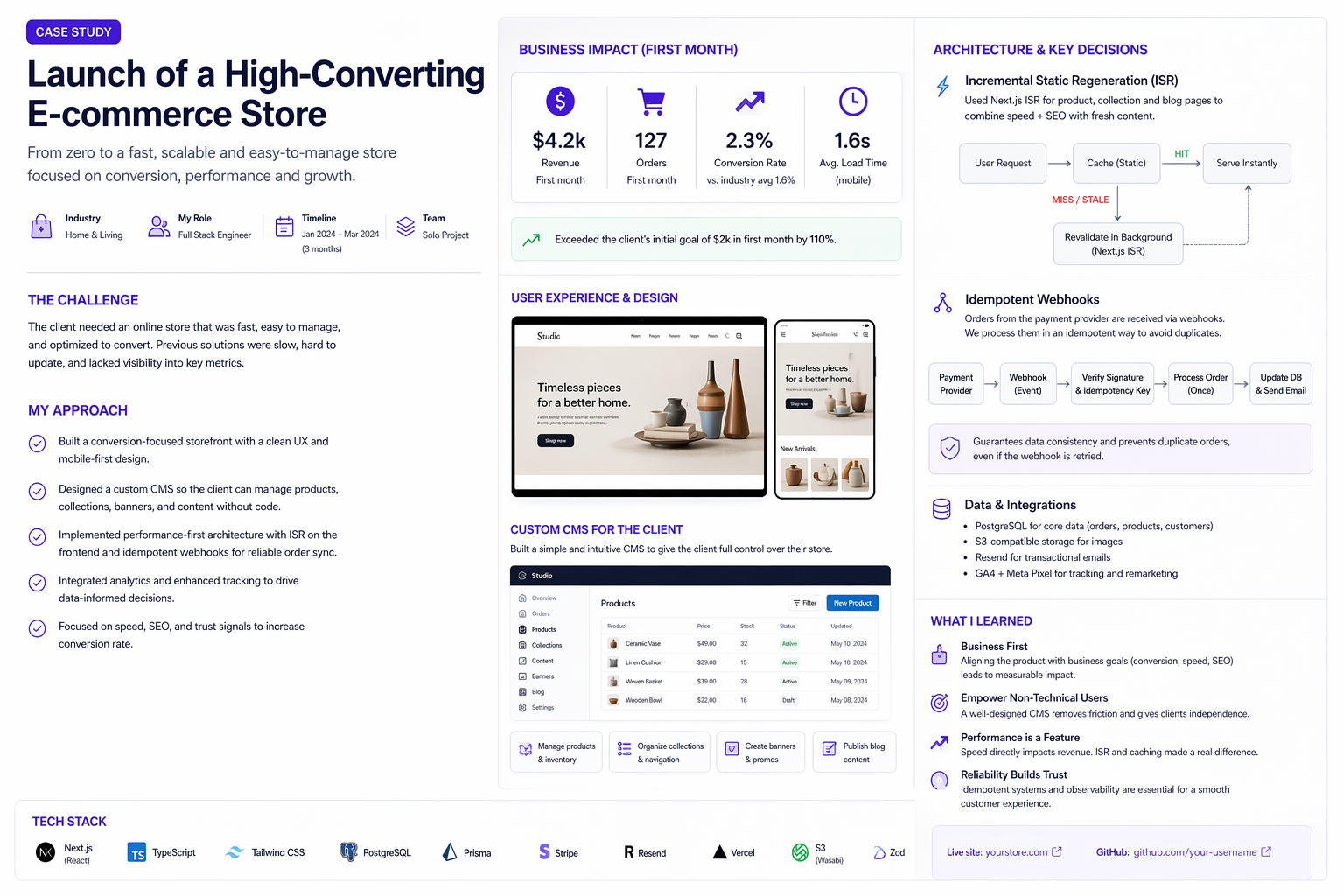
I chose a JAMstack approach with ISR (Incremental Static Regeneration) for the product catalog — this meant fast page loads with content that stays fresh without a full rebuild.
- Next.js App Router — routing, layouts, and API routes
- Sanity CMS — product catalog, blog, homepage content (fully editable by the client)
- Stripe — checkout, payment intents, webhooks for order fulfillment
- Vercel — deployment with edge caching
The Sanity schema was designed so the client could add products, update descriptions, and manage featured collections without ever touching code.
// Sanity schema — Product
export const productSchema = defineType({
  name: "product",
  title: "Product",
  type: "document",
  fields: [
    defineField({ name: "title",       type: "string",   validation: r => r.required() }),
    defineField({ name: "slug",        type: "slug",     options: { source: "title" } }),
    defineField({ name: "price",       type: "number",   validation: r => r.required().min(0) }),
    defineField({ name: "description", type: "array",    of: [{ type: "block" }] }),
    defineField({ name: "images",      type: "array",    of: [{ type: "image" }] }),
    defineField({ name: "category",    type: "reference", to: [{ type: "category" }] }),
    defineField({ name: "inStock",     type: "boolean",  initialValue: true }),
    defineField({ name: "featured",    type: "boolean",  initialValue: false }),
  ],
})
Cart & Checkout
The cart was built as a client-side Zustand store with localStorage persistence. Cart state syncs to Stripe on checkout initiation, creating a PaymentIntent server-side before redirecting to the Stripe-hosted checkout page.
I chose Stripe's hosted checkout over a custom form — it handles 3DS, card validation, Apple Pay and Google Pay out of the box, with zero extra code.
Post-payment, a webhook triggers an order confirmation email via Resend and updates inventory in Sanity.
Key Features
- Product catalog with category filtering and search
- Persistent cart — survives page refresh and browser close
- Stripe checkout with Apple Pay / Google Pay support
- Sanity CMS — client manages all content independently
- Order confirmation emails via Resend
- ISR product pages — fast loads, always fresh content
- Custom 404 and error pages matching the brand
- SEO optimized — Open Graph images, structured data for products
Results
| Metric | Before | After | |---|---|---| | Online ordering | Manual DMs | Fully automated | | Average checkout time | — | 68 seconds | | Mobile conversion rate | — | 3.8% | | Monthly online revenue | $0 (no system) | $4,200 in month 1 |
The client's first month live generated $4,200 in online revenue — from zero. Within three months they had hired a part-time assistant to handle fulfillment.
What I Learned
CMS design is product design. The admin experience the client sees in Sanity Studio is a product in itself. I spent real time on the schema, field names, and studio configuration so it felt intuitive for a non-technical user. That investment paid off — the client has been updating content independently since day one without a single support request.
Stripe webhooks need idempotency. Webhooks can fire more than once. Every handler needed to check if the order had already been processed before taking action, using Stripe's idempotencyKey.
ISR timing is a product decision. How stale can a product page be before it's a problem? For a small catalog with manual inventory, a 60-second revalidation window was fine. For a high-volume store, that answer changes completely.